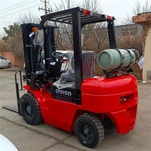
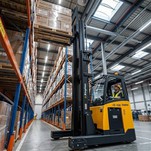
A telehandler load chart shows how much weight the machine can carry at a specific combination of boom height and forward reach. Rated capacity is only the starting point. As the boom rises or extends, available working capacity can decrease. Load weight, load center, required height, forward reach, attachment and stabilizer condition must all match the correct working position on the chart.
Rated Capacity Is Not the Same as Working Capacity
Telehandler specifications often place rated capacity, maximum lift height and maximum forward reach next to each other. These figures do not normally apply at the same working position.
A machine may have a 4,000 kg rated capacity, reach 17.6 m vertically and extend 13.1 m horizontally, but this does not mean that it can carry 4,000 kg at either maximum position.
Why Capacity Decreases as the Boom Extends
As the load moves farther away from the telehandler chassis, the overturning moment increases. The allowable load therefore normally decreases as horizontal boom extension increases.
High working positions can also reduce available capacity. Boom angle, boom extension, machine geometry, stabilizer condition and attachment configuration all form part of the approved working envelope.
Boom Retracted
The load remains closer to the chassis, so more lifting capacity is generally available.
Boom Extended
The load moves farther forward and the allowable capacity normally decreases.
High and Extended
Working points that combine high lift and significant forward reach require particularly careful load-chart checking.
Load Center Changes the Working Condition
Load center is the horizontal distance from the fork reference to the load's center of gravity. A deep pallet, long material or uneven load can move the center of gravity farther forward.
Two loads with the same weight can therefore create different load moments. A larger effective load center may place the lift in a different capacity condition.
Maximum Lift Height Does Not Mean Full Capacity at Maximum Height
Maximum lift height tells you how high the telehandler can position its carriage or attachment. Capacity at that height is a separate value.
Two machines with the same nominal 4-tonne capacity can have very different residual capacities at their maximum lift heights because their boom lengths and machine geometry are different.
TH4014 vs TH4018: Same Rated Capacity, Different Working Envelopes
The TH4014 and TH4018 illustrate why nominal capacity alone is not enough for model selection. Both are rated at 4,000 kg, but their high-reach and maximum-forward-reach capacities are very different.
| Specification | TH4014 | TH4018 |
|---|---|---|
| Rated Capacity | 4,000 kg | 4,000 kg |
| Maximum Lift Height | 13.5 m | 17.6 m |
| Maximum Forward Reach | 9.5 m | 13.1 m |
| Capacity at Maximum Height | 3,000 kg | 2,500 kg |
| Capacity at Maximum Reach | 1,650 kg | 700 kg |
The TH4014 retains 3,000 kg at its maximum 13.5 m lift height and 1,650 kg at maximum forward reach.
The TH4018 reaches 17.6 m vertically and 13.1 m horizontally, but its capacity falls to 2,500 kg at maximum height and 700 kg at maximum reach.
Can a TH4018 Lift 4,000 kg to 17.6 m?
No. The TH4018 has a nominal rated capacity of 4,000 kg, but the listed capacity at its maximum 17.6 m lift height is 2,500 kg.
The nominal 4,000 kg rating does not approve this working point. The capacity applicable at 17.6 m is the figure that must be checked.
Maximum Forward Reach Can Be Much More Restrictive
The TH4018 is rated at 4,000 kg, while its listed capacity at maximum 13.1 m forward reach is 700 kg.
This illustrates why a job requiring placement over a wall, trench, excavation or structure can demand a larger machine than the load weight alone suggests.
How Boom Angle and Extension Relate to the Load Chart
Telehandler load charts divide the boom working envelope into capacity zones. Vertical position represents lifting height, while horizontal position represents forward reach.
Locate the required height and reach, then use the capacity zone that contains that working point. Do not use a higher capacity shown in a neighboring zone.
Attachments Can Change Available Capacity
A load chart applies to a defined machine and attachment configuration. Changing from standard forks to a bucket, clamp, hook, platform or other attachment can change both the attachment weight and the effective load center.
Capacity should therefore be checked again after the attachment configuration changes.
Check the Stabilizer Condition on High-Reach Telehandlers
High-reach machines may use stabilizing legs to support specific working positions. The approved capacity can depend on whether those stabilizers are deployed.
Capacity intended for a stabilizer-supported condition should not be applied when the machine is operating in a different configuration. Ground conditions under the stabilizers must also be suitable for the load.
How to Read a Telehandler Load Chart in Five Steps
Common Telehandler Load-Chart Mistakes
Information Needed for a Working-Point Capacity Check
Compare Telehandlers for the Required Working Point
Telehandler Load Chart FAQ
Check Your Telehandler Working Point
Send the maximum load weight and dimensions, center of gravity, required fork height, horizontal reach, attachment, ground condition, gradient and stabilizer requirements. Xinghao can compare the working point with the suitable telehandler configuration before model selection.